
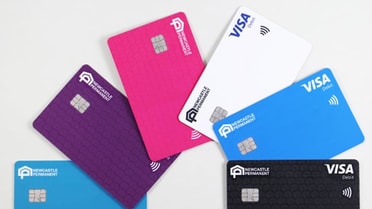
Show your true colours
Open a new account or renew your card to choose from six different colours that really stand out. Add to your Digital Wallet straight after opening a new account without waiting for your physical card to arrive.


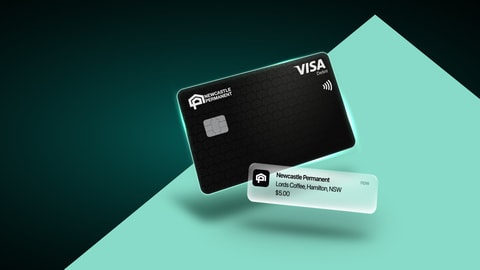

A special interest rate, just for retirees, pensioners or over 55's.
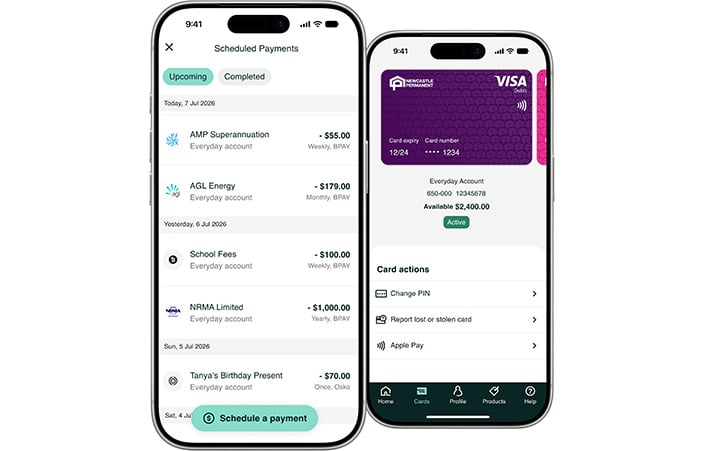
Log on to the app and select ‘Profile’ from the bottom menu to find your 8 digit Customer ID. Otherwise select ‘Forgot Customer ID’ from internet banking and follow the prompts.
You'll need your Customer ID and a few other personal details.
App:
Internet banking:
You’ll be paid into your nominated account once your employer has updated your details.
Along with your device, you'll need a Newcastle Permanent Visa Debit or Visa Value+ credit card. Our team can help you apply for an eligible product if you don't already have one.
Apple Pay Terms of Use.
Apple, the Apple logo, Apple Pay, Apple Watch, Face ID, iPad, iPhone, iTunes, Mac, MacBook Pro, Safari, and Touch ID are trademarks of Apple Inc., registered in the U.S. and other countries and regions. *For a list of compatible Apple Pay devices, see support.apple.com/en-us/HT208531. Cashcards and Business+ Credit Cards are not eligible.
Terms, conditions, fees and charges apply.
First, download the Google Wallet from the Google Play Store on your compatible Android device.
Second, set up your cards using one of the methods below:
Add your card straight from our mobile app. Simply select ‘Cards’, choose the card, hit ‘Google Pay’ and follow the prompts
Open your Google wallet and hit '+' to add a payment card and follow the prompts. Use your phone to scan your card details, or add your card details manually.
Google Pay Terms of Use.
Google, Google Pay, Android, Google Wallet, Google Play and the Google Play logo are trademarks of Google LLC. Cashcards and Business+ Credit Cards are not eligible.
Terms, conditions, fees and charges apply.
You must be 11 years or over to apply for a Visa Debit card (11-13 year olds require parental consent). You can opt to receive a Visa Debit card when opening an eligible new account.
If you wish to upgrade an existing account to a Visa Debit card visit one of our branches or call 13 19 87.
You may need to access your accounts from overseas, so make sure you know your app or internet banking password before you go.
If you’ll be using an international SIM, you may not be able to receive SMS one-time passwords sent to your Australian mobile number. Contact us before you travel to set up an alternative Transaction Password and discuss the options available to help you continue accessing your accounts while overseas.
We may restrict access to our online banking services based on your location, so it’s a good idea to check your access before you go.
Let us know your travel plans via the app or internet banking so we can monitor your account activity overseas and provide better security for you.
To use the app to notify us of your travel plans:
To use internet banking to notify us of your travel plans:
Alternatively, you can call us on 13 19 87, or visit one of our branches to notify us.
Open a new account or renew your card to choose from six different colours that really stand out. Add to your Digital Wallet straight after opening a new account without waiting for your physical card to arrive.
Get in touch with us online, and we'll get back to you as soon as possible.
Find the Newcastle Permanent branch that's closest to you.
Account terms, conditions, fees and charges apply.
◊Win $50k Promotion: Open to eligible NSW and QLD residents aged 14 years and over.
New customers: Open a new Everyday Account and make the required eligible transactions during the promotion period to be automatically entered.
Existing customers: Receive an invitation email, complete the online entry form, and make the required eligible transactions during the promotion period.
Receive one entry for every ten eligible transactions of $5 or more made in a calendar month using your Visa Debit card on your Newcastle Permanent Everyday Account or Greater Bank Access account. Multiple entries may be earned across multiple accounts and months. Transactions must be processed through the Visa network and other exclusions apply.
Competition ends 28/02/27, prize drawn 08/03/27. Permit no TP/01287 (NSW). Full competition T&Cs available here.
Find more information on the Mozo Experts Choice Awards 2025 and Mozo People's Choice Awards 2025 awards research methodology at Mozo.
Apple Pay Terms of Use.
Apple, the Apple logo, Apple Pay, Apple Watch, Face ID, iPad, iPhone, iTunes, Mac, MacBook Pro, Safari, and Touch ID are trademarks of Apple Inc., registered in the U.S. and other countries and regions. *For a list of compatible Apple Pay devices, see support.apple.com/en-us/HT208531. Cashcards and Business+ Credit Cards are not eligible.
Google Pay Terms of Use.
Google, Google Pay, Android, Google Wallet, Google Play and the Google Play logo are trademarks of Google LLC. Cashcards and Business+ Credit Cards are not eligible.
PayID and PayTo are registered trademarks of NPP Australia Limited.
®Osko and BPAY are registered to BPAY Pty Ltd ABN 69 079 137 518. You should review the terms and conditions and consider whether the Osko and Pay ID service is appropriate for your personal circumstances.
The Contactless Indicator mark, consisting of four graduating arcs, is a trademark owned by and used with permission of EMVCo, LLC.
Terms and conditions apply for internet banking and the banking app.